
In September a start-up called Photon held a funeral for mobile apps, complete with speeches. TechCrunch, covering Photon's $4.5 million seed round in October, described the event as "obviously somewhat tongue-in-cheek". Photon's business is infrastructure for AI agents that live inside messaging apps — iMessage, WhatsApp, Telegram, Slack and others — so the theatre made sense.
Its chief executive, Daniel Tian, was more measured than the funeral. "Honestly, it's going to take a while," he told TechCrunch, "but I think, directionally, it's inevitable."
We agree with the measured version. Your Rails application is not going anywhere; it holds your data, your business rules and years of decisions that work. What is changing is how people want to reach it. Increasingly, they want to ask a question in the chat they already use and get an answer from your system — not open another tab, log in and click through four screens.
What your users are really asking for
If you run a B2B platform, a marketplace or an internal operations tool on Rails, you will recognise these requests:
- "Can I get last week's figures without exporting a CSV?"
- "What is the status of order 4471?"
- "Please extend this customer's trial by two weeks."
- "Which accounts haven't logged in since August?"
Each one is a small job for someone on your team — or a feature request that will sit in the backlog. Together they add up to a clear pattern: people want access to the whole system from a conversation. They want to get answers, see figures and make routine changes, ideally from Slack, Microsoft Teams, WhatsApp or Telegram.
Why you do not need to rebuild anything
A common reaction is to assume this means a new product: a new front end, a new data layer, perhaps a move away from Rails. It does not. A well-built Rails application already has most of what a chat assistant needs:
- Models and business rules that know what an order, a customer or an invoice is, and what is allowed to happen to them.
- Authentication and permissions that already decide who may see and change what.
- Service objects, background jobs and an API — the actions your web interface already performs.
- An audit trail, or at least the places where one belongs.
The chat layer is a new client of that system, in the same way your web front end and your mobile app are clients. It should go through the same rules, not around them.
How a chat layer fits on top of Rails
In practice, the architecture is modest:
- A messenger connection. A Slack or Teams app, a Telegram bot or a WhatsApp Business number receives messages and sends replies.
- An assistant with a fixed set of tools. The language model does not get raw database access. It gets a short, explicit list of operations — "find order by number", "weekly revenue report", "extend trial" — each backed by code you control.
- Those tools call your Rails application through a dedicated, versioned internal API or service objects, using the permissions of the person asking.
- Read is instant, write is confirmed. Questions and reports are answered straight away. Anything that changes data is shown back as a summary — "Extend trial for Account X from 4 to 18 November?" — and only runs when the user confirms.
- Every action is logged: who asked, what was proposed, what was confirmed and what changed.
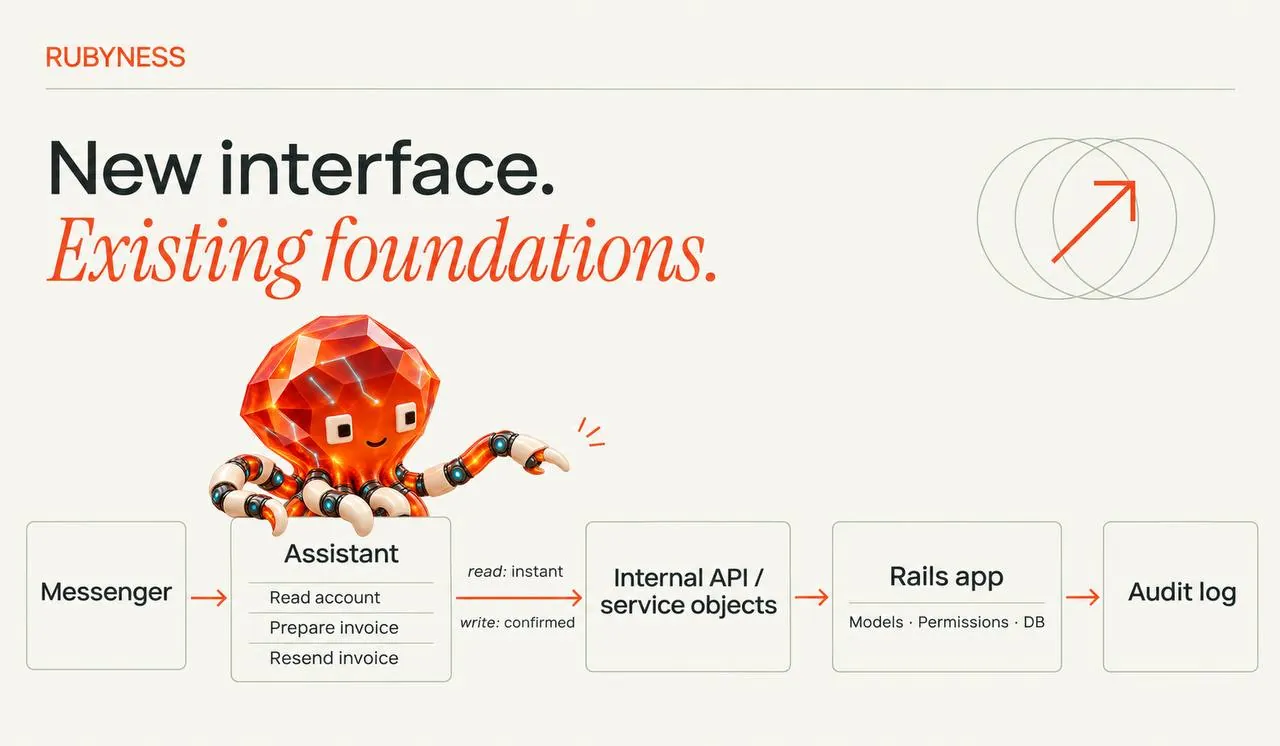
Your Rails codebase gains a thin, well-tested layer of endpoints and a log. The rest stays as it is.
An illustrative example
The following is an illustrative scenario, not a specific client.
Picture a UK B2B platform built on Rails, with an account management team that spends much of the day answering internal questions: "Is this customer on the annual plan?", "When did they last log in?", "Can you resend their invoice?". Each answer means opening the admin panel, finding the account and reading several screens.
A first version of a chat layer would cover just those questions, inside the team's Slack workspace. The assistant can look up an account, summarise recent activity and resend an invoice — the last only after the user confirms. No new admin panel, no changes to the core models, no migration. If it proves useful, the next step might be to open a restricted version to customers through the channel they already use for support.

What UK companies should check first
Adding a conversational interface to a live system is not only an engineering question. Before the first line of code, we would look at:
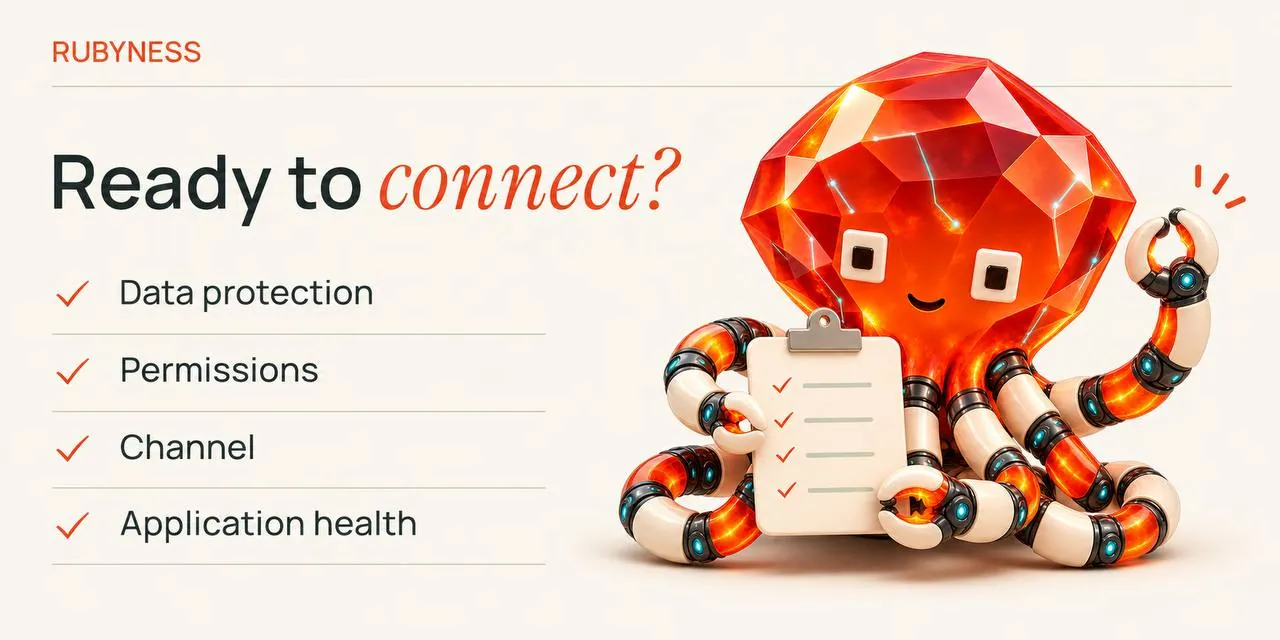
- Data protection. Which personal data might pass through the messenger and the AI provider, where it is processed, and whether your UK GDPR documentation and data processing agreements cover it.
- Permissions. The assistant must never be able to do more than the person asking. Reuse your existing authorisation rules rather than inventing new ones.
- Choice of channel. Slack and Teams suit internal users. WhatsApp reaches customers, but its platform rules for AI assistants are stricter, so it fits assistants serving your own customers rather than general-purpose bots.
- The state of the application. An old Rails or Ruby version and thin test coverage make any new integration riskier. Sometimes the sensible first step is a short health check before the chat layer.
Where to start
Start with one group of users and three to five questions they ask every day. Make those answers available in chat, read-only. Measure whether people use it. Then add one confirmed action at a time.
That is a fixed, small scope you can see working in weeks, and it leaves your Rails application exactly where it should be: at the centre of your business, now with a new door.
Discuss your project
Have a Rails product and users who would rather ask than click? Tell us about the system and the questions your team answers most often, and we will suggest a first scope. Get in touch: rubyness.co.uk/contact or info@rubyness.co.uk.
Source: Sarah Perez, "Photon held a funeral for mobile apps. Now it has $4.5M to help replace them with agents", TechCrunch, 1 October 2026.